
Instructions for Your Telehealth Patient Home visit
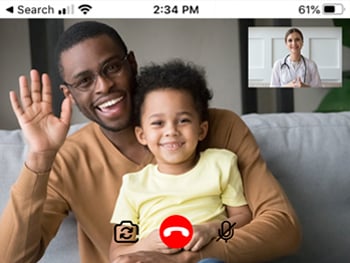
For Telehealth Patient Home visits, you use your own computer, tablet or smart phone from home to join a video visit with your provider.
This video visit happens through Epic MyChart.
Follow the steps below to help you get ready for your visit.
Before your Telehealth appointment
-
Complete the eCheck In by clicking the link you received in email or text message. Or log into MyChart to complete it there.
-
Click your language below for instructions connecting to the video visit.
The day of your Telehealth appointment
-
Find a quiet, private place with good internet where you and the patient can be for the appointment.
-
Having bad Wi-Fi, internet, or cellular signal causes problems with sound and video during the visit. This could cause your visit to need to be rescheduled.
-
You and the patient must be in Kansas or Missouri during the appointment.
-
The patient must be with you during the appointment.
-
Have a second device to use just in case your internet is not strong enough for the visit.
-
Make sure to have your device plugged in and charged during your appointment.
-
-
Turn off other devices (TV, video games, computers) around you that could be using the internet. This gives you the strongest signal for your appointment.
-
Have information and supplies you might need for your appointment.
-
The name, address and phone number of the pharmacy you use.
-
The patient’s heigh and weight.
-
A list of the patients’ allergies.
-
Any medication the patient takes.
-
Any questions you or the patient have for the provider.
-
-
15 minutes before the appointment, click the link sent to your email or text to connect to your visit through Epic MyChart.
-
Do NOT share this link with others. Only 1 person can use this link.
-
If others need to join the visit, tell the provider once the visit starts or send them an invite in MyChart after you complete the eCheck In.
-
Click your language above for more instructions on how to connect to your visit.
-
-
When you are connected you are put in a virtual waiting room.
-
Do not leave the screen to use other apps or answer calls or texts.
-
-
The provider will join the visit after they review your information. They may ask you to move your device to see or hear you better.
-
Ask any questions that you have. Treat this appointment the same as if you were in person.
-
If you get disconnect from the visit before it is over,
-
Close the visit
-
Click on the link you got in your email or text and join the appointment again.
-
Contact Us
For help with your appointment, call (816) 234-3000 and choose option 5.
To reschedule your appointment, call (816) 234-3700.