
Get updates
Have a parenting hack to share? Or a topic you'd like to see?
Your guide to telemedicine for children

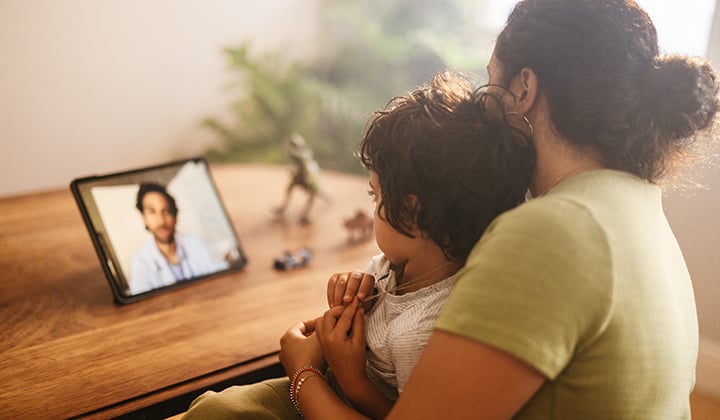
Health care for children...at home? Yep, it’s a thing — and honestly, it can make getting your child the specialty care they need a whole lot easier. No car seats, no traffic, no waiting rooms...just you, your child and a screen. If you’ve never had a virtual visit, here’s what to expect, along with some of the benefits of telemedicine for children. It might become your favorite parenting hack.
When telemedicine at home makes sense
When should you use telemedicine? Telemedicine in the home is great for any appointment that does not require a complex physical exam, many new patient appointments as well as follow-up visits, medication reviews/checks or questions/concerns regarding a change in a chronic condition. Basically, if you're thinking "Do we really need to pack up and go in?" — telemedicine might be the answer.
Before the visit
A little prep goes a long way. Make sure your device is charged and your internet is strong. Restart your device if you can and close any extra apps. If you’ve got a backup device, keep it nearby (because tech likes to keep us on our toes). Pro tip: join the visit about 15 minutes early so you’re not scrambling at the last second.
As a for a couple “not to do’s:”
- Do not swipe the appointment to open an app or additional website.
- Do not answer any phone or other video/FaceTime calls once you have joined your appointment via your device.
The technology is good, but often these actions will corrupt your telemedicine appointment.
Set the scene
Pick a quiet spot where your kid feels comfy but not distracted — bonus points if it’s near your router and well lit. Turn off TVs and music, and if you can, send siblings to another room. Quiet toys can be lifesavers and headphones help keep distractions down. You want an environment that is as cozy, calm and private as possible.
What to have handy
Just like an in-person visit, you’ll want your pharmacy info, a list of meds and any questions for the care team. Having these ready means less stress and more time for answers.
During the visit
You’ll click the link and land in a virtual waiting room. Don't wander off, your call team will pop in soon (just like if you were at the office). Depending on the reason for the visit, you might chat with more than one provider. Do you need an interpreter or someone else to join? Your provider can add them to the call.
After the visit
Write down any follow-up steps and sign up for the patient portal so you can peek at visit details later. It’s like having a cheat sheet for your kid’s care.
Myths busted
Telemedicine for children doesn’t mean lower quality care. For lots of conditions, outcomes are the same as in-person visits. And nope, not every visit needs a physical exam — many can be handled through conversation.
Help kids feel comfy
Explain this is no different than a "normal" appointment...it's just from the comfort of your home (which let's be real, is one of the biggest benefits of telemedicine). Limit distractions, keep the space quiet and let your kid know the doctor is in Kansas City, using technology similar to FaceTime with more privacy and security.
If your tech fails...
Technology is most people's biggest hesitation with accessing pediatric care online. If your technology fails, sometimes the visit can switch to a phone call. If visual assessment is a must, you might need to reschedule or go in person. Either way, you have options.
Telemedicine is designed to make life simpler, not more stressful. With a little prep, you can turn what feels like a tech hurdle into a super slick experience for you and your child.
So, grab your device, take a deep breath and get ready to rock your virtual visit!
Click here for instructions on how to join your video visit with Children’s Mercy from home.
Director, Telemedicine